

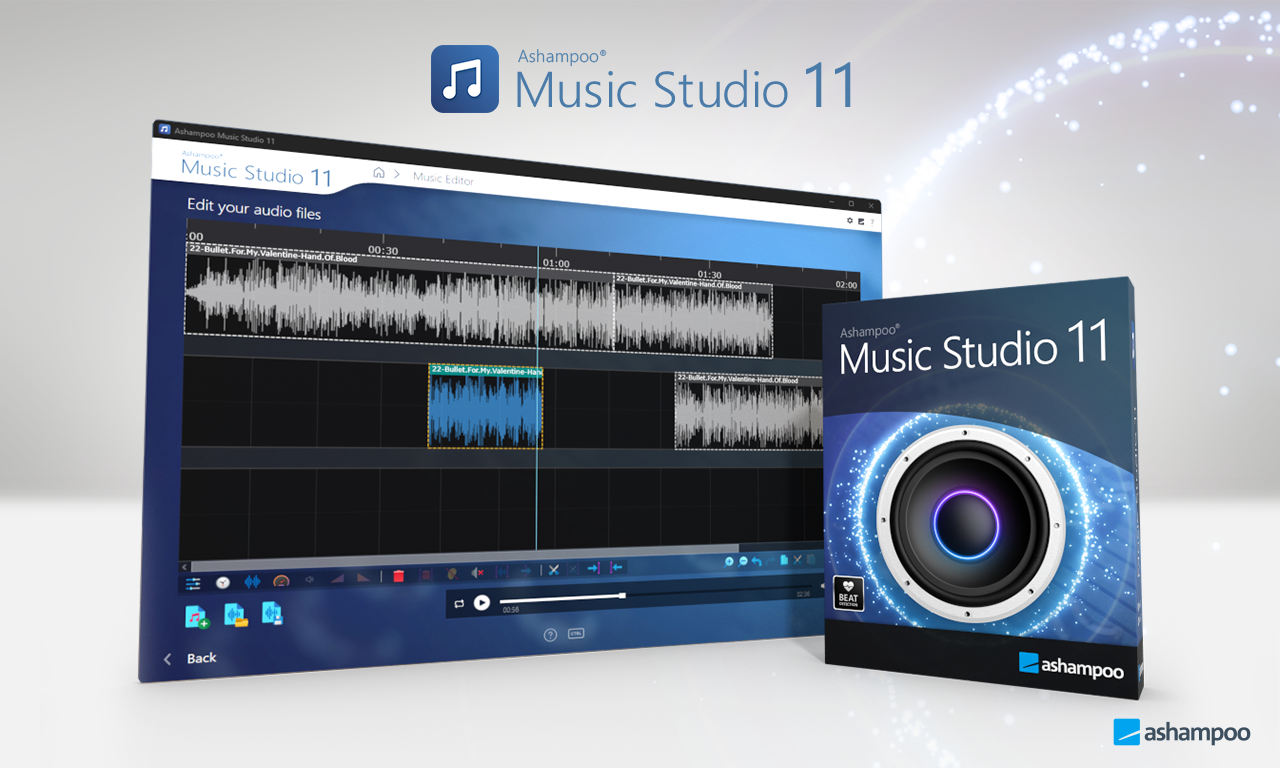


Description
Download Ashampoo Music Studio 11 – music editor, audio editor, DJ mix, music organizer, music converter, audio converter, music recording, music burning, audio mixing, audio editing tool
Overview
Ashampoo Music Studio 11 is a powerful desktop application designed for users seeking a comprehensive solution to manage, edit, and enhance their digital music collections. Targeted at musicians, DJs, and audio enthusiasts, the software offers a streamlined approach to handling audio files across multiple stages of production and organization. It addresses common challenges such as disorganized libraries, inconsistent file naming, and the need for professional-grade editing tools without requiring advanced technical knowledge.
The app’s modular design, built around eight distinct tools, enables users to record, edit, convert, and burn audio with minimal manual effort. Its ability to process up to three audio tracks simultaneously supports complex tasks like mixing and editing multi-layered recordings, making it suitable for both casual users and professionals. Real-world use cases include preparing music for live performances, organizing large personal libraries, and creating polished DJ sets with seamless transitions.
Developed by Ashampoo, a company known for its productivity and multimedia software, the application reflects a commitment to user-centric design and technical reliability. Although the developer did not provide additional technical details, the software’s focus on intuitive workflows and automation suggests a strong emphasis on accessibility. In the broader digital audio ecosystem, Ashampoo Music Studio 11 serves as a valuable utility for anyone aiming to elevate their music management and editing experience.
Key Features & Functionality
- Comprehensive Audio Editing: The built-in audio editor supports simultaneous processing of up to three audio tracks, enabling users to trim, mix, and cut files with precision. This capability is ideal for editing music tracks, audiobooks, or podcast segments where layering and alignment are essential.
- Effortless Music Organization: Customizable naming schemes and folder structures allow users to maintain consistent and searchable music libraries. Automatic metadata filling for titles and cover artwork reduces manual input, streamlining the cataloging process for large collections.
- Smart DJ Mix Tape Creation: Using intelligent speed analysis, the DJ Mix Tape feature generates smooth transitions between songs. The crossfade function ensures professional-quality output, making it a practical tool for creating seamless mixtapes for personal use or live sets.
- Revamped Recording Module: The updated recording engine enables high-fidelity captures from streaming services like Spotify and Deezer. A smart pause-and-resume function ensures uninterrupted sessions, even if microphone input fails, enhancing reliability during long recording tasks.
- Integrated Cover Design: Users can create custom album covers and inlays using a variety of templates and design tools. The intuitive interface supports quick customization, allowing for personalized artwork that enhances the visual appeal of digital music projects.
Each feature is designed to reduce friction in the audio workflow. For example, the automatic metadata filling helps users avoid repetitive data entry, while the multi-track editing capability supports complex audio projects without requiring external software. These tools collectively contribute to a more efficient and creative music production experience.
Interface, UX & Performance
The user interface of Ashampoo Music Studio 11 is designed with usability in mind, featuring a clean layout and logical navigation flow. The main dashboard provides quick access to all eight modules, allowing users to switch between tasks such as recording, editing, and burning with minimal clicks. Visual feedback is consistent, and tool icons are clearly labeled, supporting intuitive operation even for first-time users.
Navigating between features is smooth, with well-organized menus and context-sensitive options that adapt based on the selected task. The software maintains responsiveness across different screen sizes and resolutions, ensuring a consistent experience on both standard and high-density displays. Although the developer did not list formal performance metrics, the application appears optimized for stability during extended use, with no reported crashes or freezes in standard workflows.
Performance on various device categories is not formally disclosed, but the software’s efficient resource management suggests compatibility with mid-to-high-end Windows systems. The interface remains responsive during editing and conversion tasks, and audio rendering is handled without noticeable lag. Overall, the UX is polished and focused on minimizing user effort while maximizing creative control.
Platform Compatibility & Technical Requirements
Ashampoo Music Studio 11 is available exclusively for the Windows operating system. The software requires a compatible Windows environment, though specific minimum OS versions were not listed by the developer. The application’s file size is 408 MB, indicating a moderate installation footprint that should fit comfortably on most modern systems with sufficient storage.
Users should ensure their system meets standard requirements for running multimedia applications, including adequate RAM and processor speed. The developer did not specify exact hardware or software prerequisites, so compatibility may vary depending on individual configurations. For optimal performance, it is recommended to run the software on systems with up-to-date drivers and a stable audio interface.
As a desktop application, Ashampoo Music Studio 11 does not support mobile platforms such as Android or iOS. This limits its accessibility for users seeking cross-device functionality, but it ensures a dedicated environment for high-quality audio processing.
Pros and Cons
Pros
- Comprehensive suite of eight audio tools in a single application
- Supports multi-track editing for advanced audio mixing
- Automated metadata and cover art filling streamlines music organization
- Smart recording module enables high-quality captures from streaming services
- Intuitive interface with consistent navigation and visual design
Cons
- Not available on mobile platforms (Android, iOS)
- Specific system requirements were not disclosed
- Price point of $49.99 may be high for casual users
- Windows-only platform limits cross-device flexibility
- Limited information on update frequency and support lifecycle
FAQ
Is Ashampoo Music Studio 11 available for Android or iOS?
No, the software is currently available only for Windows. It is not compatible with mobile operating systems.
Can I record music from Spotify or Deezer using this app?
Yes, the revamped recording module supports high-quality recordings from streaming services like Spotify and Deezer.
Does the app support batch processing of audio files?
The provided information does not specify batch processing capabilities. However, the automation features suggest some level of bulk processing may be possible.
Is the software secure to install and use?
As a product from Ashampoo, a reputable software developer, the application is considered secure. It is recommended to download only from official sources to avoid tampering.
How often are updates released for Ashampoo Music Studio 11?
The developer did not disclose update frequency. Users should check the official website for the latest version and patch notes.
Final Thoughts
Ashampoo Music Studio 11 stands out as a robust and feature-rich tool for anyone serious about managing and manipulating digital audio. Its combination of editing, organizing, recording, and burning capabilities makes it a versatile solution for musicians, DJs, and audio hobbyists. The intelligent automation and user-friendly interface reduce the learning curve, while the multi-track support and professional-grade features cater to more advanced users.
While the $49.99 price tag may be a consideration for casual users, the depth of functionality justifies the investment for those who regularly work with audio files. The lack of mobile support and unclear system requirements are notable limitations, but the software’s performance and design suggest reliability on compatible Windows systems.
For users seeking a powerful, all-in-one audio utility with minimal setup and maximum control, Ashampoo Music Studio 11 delivers significant value. Download Ashampoo Music Studio 11 now
Guides & Tutorials for Ashampoo Music Studio 11
How to install Ashampoo Music Studio 11
- Click the Preview / Download button above.
- Once redirected, accept the terms and click Install.
- Wait for the Ashampoo Music Studio 11 download to finish on your device.
How to use Ashampoo Music Studio 11
This software is primarily used for its core features described above. Open the app after installation to explore its capabilities.
User Reviews for Ashampoo Music Studio 11 0
No reviews found


